Project Overview
An employee working at Hyundai Mobis in Dubai, UAE contacted Infinex Loop about automating part of an existing manual reporting workflow. The team regularly handled operational reports containing information related to sales, logistics, distribution and related operational activity. Depending on the reporting cycle, the files were received weekly or monthly.
Existing Workflow
The original workflow required someone to receive the file, inspect the data manually, clean the dataset, identify and remove duplicate records, prepare the data for reporting, move the cleaned data into Power BI, design the dashboard, and export the report.
Excel / CSV Report
↓
Manual Inspection
↓
Data Cleaning
↓
Duplicate Removal
↓
Prepare Data
↓
Power BI
↓
Dashboard Design
↓
Export Report
The Challenge
The reporting process created additional overhead for employees who already had their normal office responsibilities. The purpose of the project was to reduce that repetitive work.
What We Built
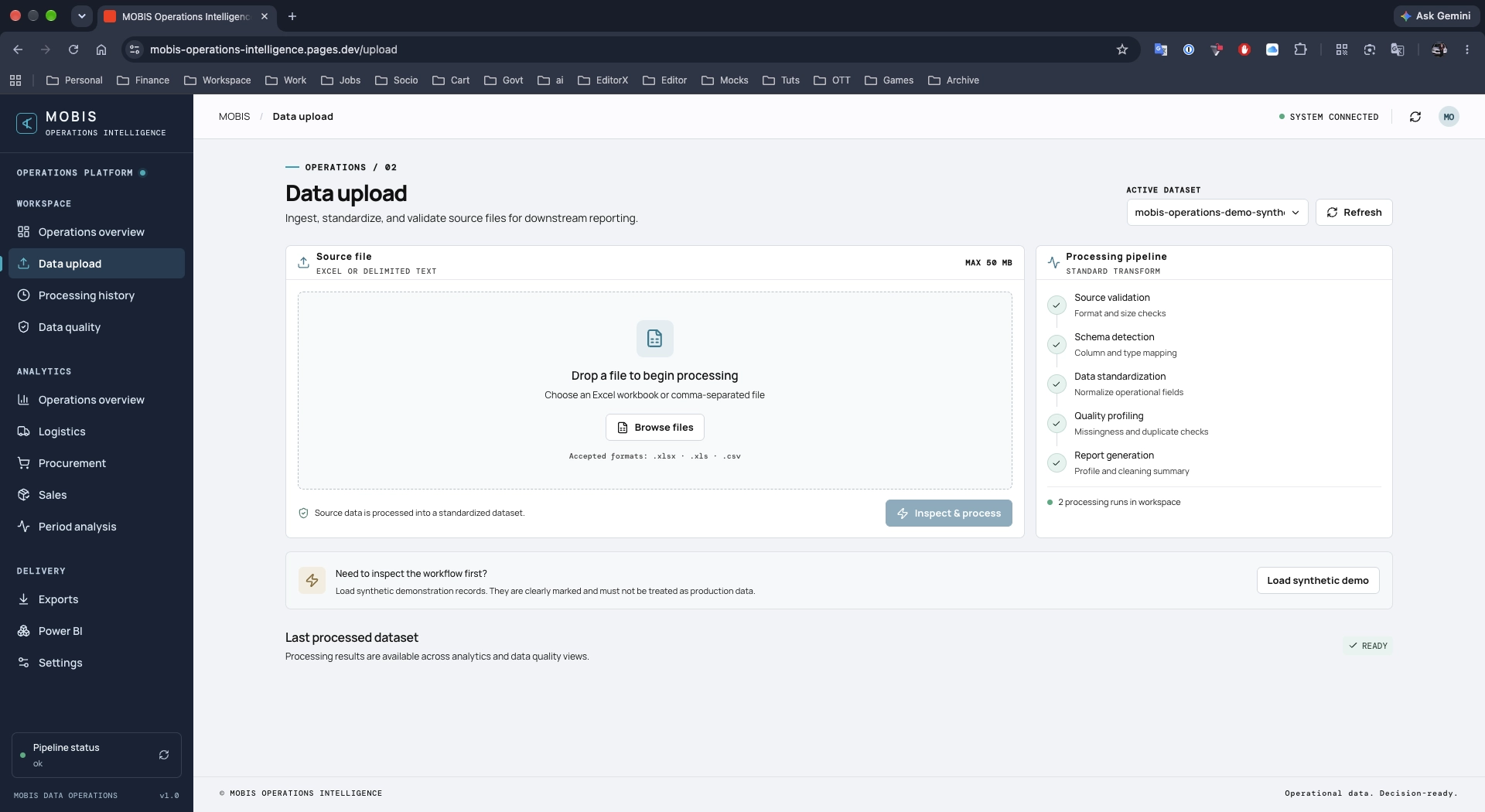
Infinex Loop developed a dedicated application to bring the workflow into one place. The software accepts Excel (.xlsx) and CSV files. The user can upload the operational report directly. Backend-defined conditions apply the agreed data-cleaning rules automatically. For Excel uploads, the file is processed and converted to CSV. For CSV uploads, it skips conversion and processes directly.
Keeping operational data where it belongs
These reports can contain sensitive operational information related to sales, logistics, distribution and internal company activity. Data handling was therefore treated as an architectural requirement from the beginning. Although the software itself can be accessed online, the sensitive file-handling and processing workflow was designed to remain within the company's environment. The source files are not sent to external processing services as part of the normal workflow. The workflow is designed to minimize external data exposure and keep processing local.
Data Flow Architecture
ONLINE APPLICATION
↓
COMPANY ENVIRONMENT
↓
UPLOAD EXCEL / CSV
↓
LOCAL PROCESSING
↓
CLEAN / VALIDATE / REMOVE DUPLICATES
↓
LOCAL DASHBOARD
↓
APPROVED POWER BI WORKFLOW
↓
DOWNLOAD FINAL OUTPUT
Data Processing Workflow
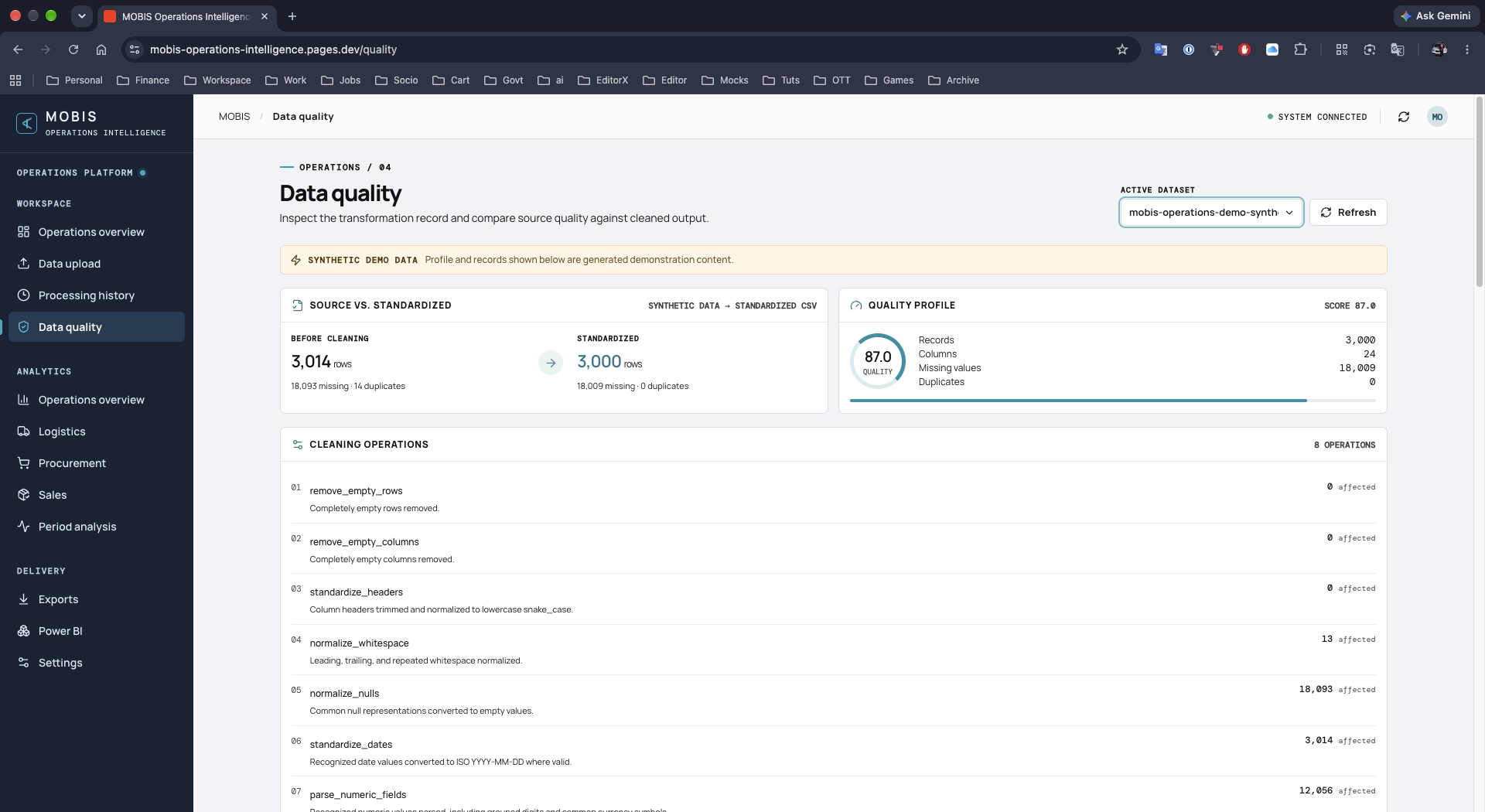
The workflow is built around local file handling, local data cleaning, local duplicate processing, local Excel-to-CSV conversion, local validation, and local dashboard generation, followed by an approved Power BI reporting workflow.
Processing Visibility
The software is transparent rather than a black box. The user can see the Raw Records (how many records were present originally), Duplicates Removed (how many duplicate records were removed), Records Cleaned (how many records were affected by the configured cleaning process), and Final Records (how many usable records remain).
Local Dashboard
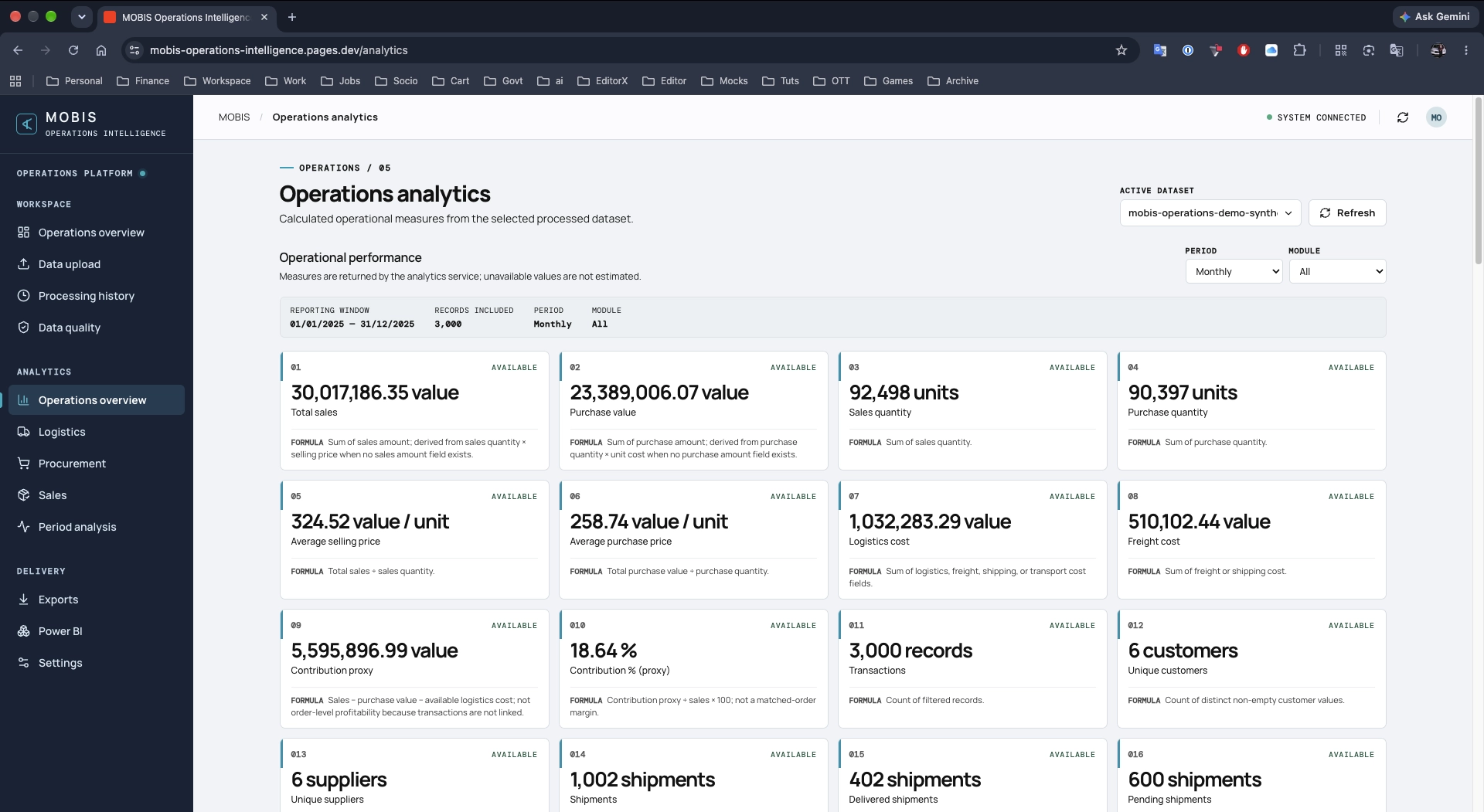
The cleaned dataset is used to generate a local dashboard within the software. This serves for visual verification, allowing the user to confirm the cleaned information and review the processed dataset before final reporting.
Power BI Workflow
The client's Microsoft environment was connected as part of the reporting workflow. The cleaned dataset continues into Power BI reporting. Multiple Power BI templates were integrated to provide different report layouts. Different combinations allow multiple dashboard variations to be produced. The final report and output can be downloaded to the user's local computer.
Capabilities
- Excel & CSV Upload
- Automated Data Cleaning
- Duplicate Detection
- Excel-to-CSV Conversion
- Processing Summary
- Local Data Visualisation
- Power BI Integration
- Report Template System
- Downloadable Output
Outcome
The project transformed a workflow that depended heavily on repetitive spreadsheet preparation into a guided software process. Instead of repeatedly cleaning files, identifying duplicates, preparing datasets and rebuilding the reporting workflow manually, the user can begin with the raw report and move through the process from one application. The repetitive work is handled by the software, while the user remains in control of the data and final output. This reflects Infinex Loop's approach to automation: remove unnecessary work from an existing process without introducing unnecessary complexity.